A Passion for Providing Quality in Printing

Contact Us
✖

    Large Format Scanning Explained: From Canvas to Digital File

    Oversized plans, maps, artwork, and technical drawings usually can’t be digitised with a standard office scanner. Large format scanning uses specialist equipment to convert these materials into detailed digital files that can be preserved, shared, reproduced or incorporated into digital workflows.

    • Last updated:
    • 14 min read
    Large format scanner digitising an A0 architectural plan

    What Is Large Format Scanning?

    Large format scanning converts oversized physical documents and artwork into digital files using specialist scanning equipment. It is commonly used for architectural plans, engineering drawings, maps, posters, paintings and historical records that are too large for standard desktop scanners. Professional services can scan documents in common sizes such as A2, A1 and A0, as well as some custom-length originals. Depending on the material and its condition, we may use a sheet-fed, flatbed, or specialist overhead capture system. We can supply the completed scan as a PDF, TIFF, or JPEG for archiving, sharing, printing, or editing. Creating an editable CAD drawing requires additional vectorisation or manual redrawing.

    What Can Be Scanned?

    Large format scanning can be used for a wide range of technical, creative and historical materials.
    Document or material Typical use
    Architectural plans Project records, renovations and building documentation
    Engineering drawings Digital review, collaboration and technical archives
    Blueprints Preserving older construction and manufacturing information
    Survey plans Recording property boundaries, site details and measurements
    Topographic maps Planning, environmental studies and land management
    Geological maps Mining, exploration and infrastructure projects
    As-built drawings Facility management, compliance and project handover
    Technical diagrams Manufacturing, maintenance and operational records
    Original artwork Fine art reproduction, portfolios and archival storage
    Illustrations and prints Digital publishing and commercial reproduction
    Photographs Preservation, restoration and high-quality reprinting
    Posters and banners Archiving, resizing and reproducing promotional materials
    Historical records Preserving ageing documents and cultural collections
    Legal documents Digital recordkeeping and more convenient retrieval
    Educational charts Digital access, teaching resources and reproduction
    Not every original can be scanned using the same equipment. Assess thickness, texture, mounting, fragility, and surface condition before selecting the right method.

    How Does Large Format Scanning Work?

    Professional large format scanning typically involves the following steps:
    1. Assess the original. The document or artwork is examined for its dimensions, thickness, condition, surface texture and susceptibility to damage. This determines whether it can safely pass through a sheet-fed scanner or requires a non-feed scanning method.
    2. Select the scanning method. Clean, flexible plans may suit sheet-fed scanning. Fragile, mounted, textured or valuable originals may require a large flatbed or specialist overhead capture system.
    3. Confirm the intended use. The service provider establishes whether the file will be used for on-screen viewing, archiving, editing or high-quality reproduction. This informs the resolution, colour mode and file format.
    4. Capture the original. Scan the document using settings appropriate to its content. Technical line drawings, colour artwork and faded historical records may each require a different approach.
    5. Complete quality checks. The digital file is reviewed for clarity, completeness, orientation, colour consistency and unwanted shadows or distortions.
    6. Name and deliver the files. Scans can be labelled and organised according to an agreed naming system before being supplied by secure download, cloud transfer or storage device.

    Sheet-Fed Versus Flatbed Scanning

    The best scanning method depends on the size, condition and physical characteristics of the original.
    Original artwork captured on a large flatbed scanner
    Feature Sheet-fed scanner Flatbed or non-feed scanner
    Best suited to Loose, flexible and undamaged documents Fragile, mounted, valuable or textured originals
    Document handling Original passes through rollers Original remains stationary during capture
    Production speed Generally faster Generally slower
    Large batches Well suited to multiple plans Less efficient for high-volume projects
    Delicate originals May not be appropriate Usually the safer option
    Artwork Only for suitable flexible media Preferred for many original artworks
    Thick or mounted items Usually unsuitable May be possible, depending on the equipment
    Common applications Plans, blueprints and technical drawings Paintings, photographs, archives and delicate documents
    Sheet-fed scanning is efficient for collections of clean, stable plans that can move safely through rollers. Flatbed or non-feed capture is more appropriate when an original should remain stationary or cannot be bent. A pre-scan assessment is particularly important for torn, brittle, curled or irreplaceable materials.

    Choosing the Right Resolution for Your Scan

    DPI stands for dots per inch and indicates how much detail a scan captures. Higher DPI can capture finer details, but it also produces larger files and increases scanning and processing time.
    High resolution scan showing fine detail of a technical drawing
    The following ranges provide a useful starting point:

    200 to 300 DPI:

    Suitable for many documents, plans and drawings intended primarily for on-screen viewing, recordkeeping or standard-size reprinting.

    400 to 600 DPI:

    Appropriate for detailed technical drawings, small annotations, faded line work and documents that may need closer digital inspection.

    600 to 1200 DPI:

    May be recommended for smaller artwork, photographs or originals containing very fine detail, particularly when high-quality reproduction or enlargement is planned.
    The highest available resolution is not automatically the best choice. A large A0 plan scanned at 1200 DPI would create a very large file without necessarily delivering a practical improvement for normal viewing or printing.

    What resolution should I use when scanning artwork?

    For many artworks, 300 to 600 DPI at the original size provides sufficient detail for archiving and same-size reproduction. Higher resolutions may benefit small originals, fine line work or artwork that will be enlarged. The correct setting also depends on the reproduction size, surface texture and printing process. A professional provider should assess the original and recommend a resolution that balances detail, file size and intended output.

    Digitising Original Artwork for Reproduction

    Digitising an original painting involves creating a high-resolution, colour-managed digital file for printing, archiving, or online display. A large flatbed scanner or professional overhead capture system is generally preferable to an informal phone photograph. The process usually involves:
    1. Inspecting and measuring the original.
    2. Selecting a capture method that will not damage the artwork.
    3. Using controlled, even lighting where an overhead system is required.
    4. Capturing sufficient resolution for the intended reproduction size.
    5. Checking colour, focus, texture and edge detail.
    6. Creating a high-quality master file.
    7. Producing smaller copies for websites, email or general access.
    Professional capture provides more consistent lighting, sharper detail and better control over colour than a handheld photograph. It also helps minimise problems such as glare, perspective distortion, uneven focus and unwanted shadows. TIFF is commonly selected as the reproduction or archival master because it supports high-quality, lossless image data. JPEG versions can then be created for websites, portfolios and convenient sharing. Some paintings may still require professional photography rather than direct scanning. This can apply to oversized, heavily textured, framed, reflective or three-dimensional work. The provider should assess the artwork before recommending a method.

    File Formats Used in Large Format Scanning

    The best file format depends on whether the scan will be archived, shared, edited or reproduced.
    Format Best used for Important consideration
    PDF Sharing plans, distributing documents and combining multiple pages Convenient and widely accessible
    Searchable PDF Text-heavy records and document archives OCR accuracy depends on the original’s clarity
    TIFF Archival masters, artwork reproduction and high-quality printing Preserves quality but produces larger files
    JPEG Websites, email and general digital access Smaller files but uses lossy compression
    PNG Graphics, diagrams and digital use Supports lossless compression but may create large files
    DWG or DXF Editable CAD workflows Requires vectorisation or redrawing; not produced by ordinary scanning alone
    For important artwork or records, it can be useful to retain a high-quality TIFF master and create separate PDF or JPEG access copies. This preserves the original scan quality while providing smaller files for daily use. A raster scan does not automatically become an editable technical drawing. If you need to change lines, dimensions, or layers in CAD software, you’ll need additional vectorisation or manual drafting.

    Why Is Large Format Scanning Better Than Photographing a Document?

    Professional scanning generally produces more consistent results than taking an informal photograph with a phone or handheld camera. The original is captured square to the scanning surface, helping minimise perspective distortion and uneven scaling. Other advantages can include:
    • Consistent focus across the document
    • Even exposure and illumination
    • Reduced shadows and reflections
    • More accurate dimensions and proportions
    • Controlled resolution and colour settings
    • Better capture of small annotations and line work
    • Repeatable results across a document collection
    Professional photography can still be the right choice for very large, framed, textured or three-dimensional artwork. The important distinction is between controlled professional capture and an uncalibrated handheld photograph.

    Benefits of Large Format Scanning

    Large format scanning offers practical benefits for organisations and individuals managing oversized originals.
    Paper plans digitised into an organised digital archive
    Digital preservation: A detailed digital copy records the document’s current condition before further fading, wear or damage occurs.
    Easier sharing: Plans, maps and drawings can be distributed electronically without transporting the physical original.
    Reduced storage requirements: Digitisation can decrease reliance on plan cabinets, archive boxes and dedicated storage rooms.
    Faster retrieval: Clearly named and organised files are easier to locate than documents stored in rolls, folders or boxes.
    Better collaboration: Project teams in different locations can view, annotate and discuss the same file.
    High-quality reproduction: A suitable scan can provide the source file for reprinting artwork, maps, posters and technical drawings.
    Business continuity: Digital backups protect access to important information if physical documents are lost or damaged.
    Protection of originals: Once a document has been digitised, the original can be handled less frequently.
    Simplified project handover: Scanned plans and drawings can be incorporated into digital documentation supplied to clients and stakeholders.
    Flexible file delivery: Different file versions can be created for archiving, printing, emailing and online access.

    Common Problems Large Format Scanning Solves

    Standard scanners are too small

    Desktop and office scanners cannot accommodate oversized maps, artwork or A0 plans. Specialist equipment can capture the document as one complete image without requiring separate scans to be manually combined.

    Old plans are difficult to find and share

    Paper plans stored in cabinets, tubes or archive boxes can be slow to retrieve. Once digitised and given consistent filenames, they can be organised by project, location, date or document number.

    Originals are fading or becoming fragile

    Paper, ink and photographic materials can deteriorate through age, light exposure, moisture and repeated handling. Scanning preserves a digital record of the material in its current condition, although it does not stop the original’s physical deterioration.

    Multiple teams require the same document

    Construction and engineering projects frequently involve consultants, contractors and clients in different locations. A digital file can be distributed to all authorised stakeholders without circulating the original.

    Physical storage space is running out

    Long-term storage of technical drawings and business records can occupy valuable office space. A planned digitisation project can reduce paper storage requirements, subject to any legal or regulatory obligation to retain originals.

    Drawings need to be reprinted

    A high-quality scan can provide a practical source for reproducing plans, maps and posters when the original digital file is unavailable.

    Fine details are being lost

    Low-quality photographs may fail to capture faded notes, thin lines or small annotations. Scanning at an appropriate resolution can retain details needed for reference, preservation or reproduction.

    Who Uses Large Format Scanning?

    Large format scanning supports professionals and organisations across many sectors:
    • Architects and engineers digitise plans, specifications and as-built drawings for project records and future modifications.
    • Builders and property developers share site plans and construction documentation with consultants, contractors and clients.
    • Surveyors and town planners work with site plans, cadastral information, maps and development documentation.
    • Artists and illustrators create reproduction-quality digital files from original works.
    • Graphic designers and agencies prepare supplied artwork for archiving, editing or reprinting.
    • Museums, galleries and archives digitise suitable historical records and collection materials while reducing unnecessary handling.
    • Schools, universities and libraries preserve maps, charts, research materials and other oversized resources.
    • Legal and insurance professionals digitise oversized evidence, property plans and supporting documentation.

    Preparing Materials for Large Format Scanning

    Good preparation helps protect originals and supports efficient scanning.
    • Identify the required documents and remove unnecessary duplicates.
    • Group items by size, project, date or document type.
    • Provide a preferred file-naming system.
    • Remove loose clips, staples or fasteners where this can be done safely.
    • Do not apply tape, flatten brittle materials or attempt repairs without suitable conservation knowledge.
    • Inform the provider about tears, loose sections, mould, water damage or fragile edges.
    • Allow tightly rolled documents time to relax where appropriate.
    • Identify confidential or restricted materials before transfer.
    • Explain how the digital files will be used.
    • Confirm whether you require PDF, TIFF, JPEG or multiple formats.
    • Request a sample scan for valuable artwork or a large archival project.
    Copyright should also be considered when artwork, maps, plans or published materials will be reproduced. Owning a physical copy does not always provide the right to reproduce or distribute its contents.

    Frequently Asked Questions About Large Format Scanning

    What resolution should I use when scanning artwork?
    A resolution of 300 to 600 DPI at original size is suitable for many artwork archiving and reproduction projects. Smaller originals, very fine details or planned enlargement may require a higher resolution. The best setting depends on the artwork, final reproduction size, and printing method.
    How do I digitise an original painting for reproduction?
    Capture an original painting using a professional flatbed or controlled overhead system suited to its size, texture, and condition. The process should include even capture, colour management and quality checking. A high-quality TIFF is commonly retained as the master reproduction file.
    How large can professional scanners scan?
    Many professional large format scanners accommodate standard sizes up to A0, which measures 841 × 1189 mm. Some equipment can scan longer documents or larger custom sizes, but capacity varies by scanner and scanning method. Confirm the exact width, length and thickness with the provider.
    What file format is best for archiving large format scans?
    TIFF is often preferred for high-quality archival masters because it can store images without lossy compression. PDF is more convenient for document access and distribution, while JPEG is useful when you need a smaller file. Some projects retain a TIFF master alongside PDF or JPEG access copies.
    Can fragile or damaged documents be scanned?
    Yes, some fragile materials can be digitised, but they must be assessed before scanning. A torn, brittle, mounted or valuable original may not be safe to pass through a sheet-fed scanner. A flatbed, overhead or specialist archival method may be required.
    Is large format scanning better than photographing a document?
    Professional scanning usually provides more consistent focus, scale, lighting and alignment than a casual handheld photograph. It can also reduce perspective distortion and capture small line work more accurately. Professional photography may still be preferable for heavily textured, framed or three-dimensional artwork.
    How long does large format scanning take?
    Turnaround depends on the number, dimensions and condition of the originals, as well as the required resolution, editing, indexing and file formats. A small collection of clean plans may be processed relatively quickly, while fragile materials and large archives require more preparation and quality control.
    Can I receive my scanned files in multiple formats?
    Yes. A project may include high-resolution TIFF files for archiving, PDFs for sharing and JPEGs for websites or email and requesting the required formats before scanning helps the provider establish the correct workflow and quotation.
    Can a scanned drawing be edited in CAD software?
    A standard scan is a raster image and is not automatically editable as CAD linework. Converting it into a DWG or DXF file requires vectorisation or manual redrawing. Check accuracy carefully if you’ll use the converted drawing for technical purposes.
    Can faded plans and documents be improved?
    Contrast, brightness and colour adjustments may make some faded information easier to see, but editing cannot reliably restore details that are no longer present in the original. It is advisable to retain an unaltered archival master before creating enhanced working copies.
    Will scanning damage the original?
    Stable documents can generally be scanned safely using an appropriate method. Fragile, torn, mounted or heavily creased materials present a greater risk and should be assessed beforehand. Select the safest equipment based on the condition of the original.
    Can a large format scan be printed at its original size?
    Yes, provided the document was captured at an appropriate resolution and its dimensions were recorded accurately. The quality of the reproduction will also depend on the condition of the original, the selected material and the printing process.

    Large format scanning provides a practical way to preserve, organise and reproduce oversized plans, artwork, maps and records. Before requesting a quote, record the dimensions, quantity, and condition of your originals, and explain how the digital files will be used so the provider can recommend the appropriate scanning method, resolution, and format.

    Contact Us

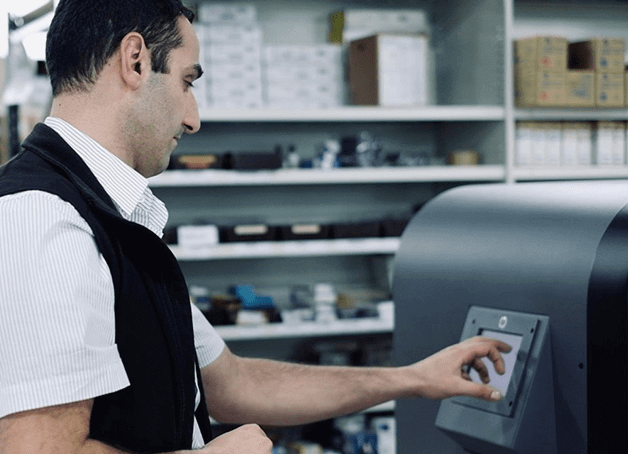
      Technician operating a commercial digital printing machine touchscreen panel, demonstrating expert printing services.